Online ZPL Label Viewer & Editor
Free online ZPL viewer & editor. Paste your code and preview Zebra labels instantly — no printer, no install, runs in your browser.
66 characters
ZPL code
Ctrl+Enter
Preview
Press Generate preview to see your label
Examples
Click on any example to load it automatically
How does our ZPL viewer work?
Free browser-based ZPL viewer. Paste your code, see your Zebra label rendered instantly — no printer or install required. Export to PDF anytime:
- Upload your ZPL file to our platform
- Our engine processes and interprets all ZPL commands
- Instantly visualize your label in the browser
shipping-label.zplZPL code
^XA^CI28^PW812^LL1218^FO24,24^GB764,1170,4^FS^FO24,24^GB764,120,120^FS^FO60,60^FR^A0N,60,60^FDZPLPDF^FS^FO440,72^FR^A0N,38,38^FDDEMO LABEL^FS^FO60,190^A0N,30,30^FDSHIP TO^FS^FO60,232^A0N,46,46^FDJANE DOE^FS… 18 more linesRendered label
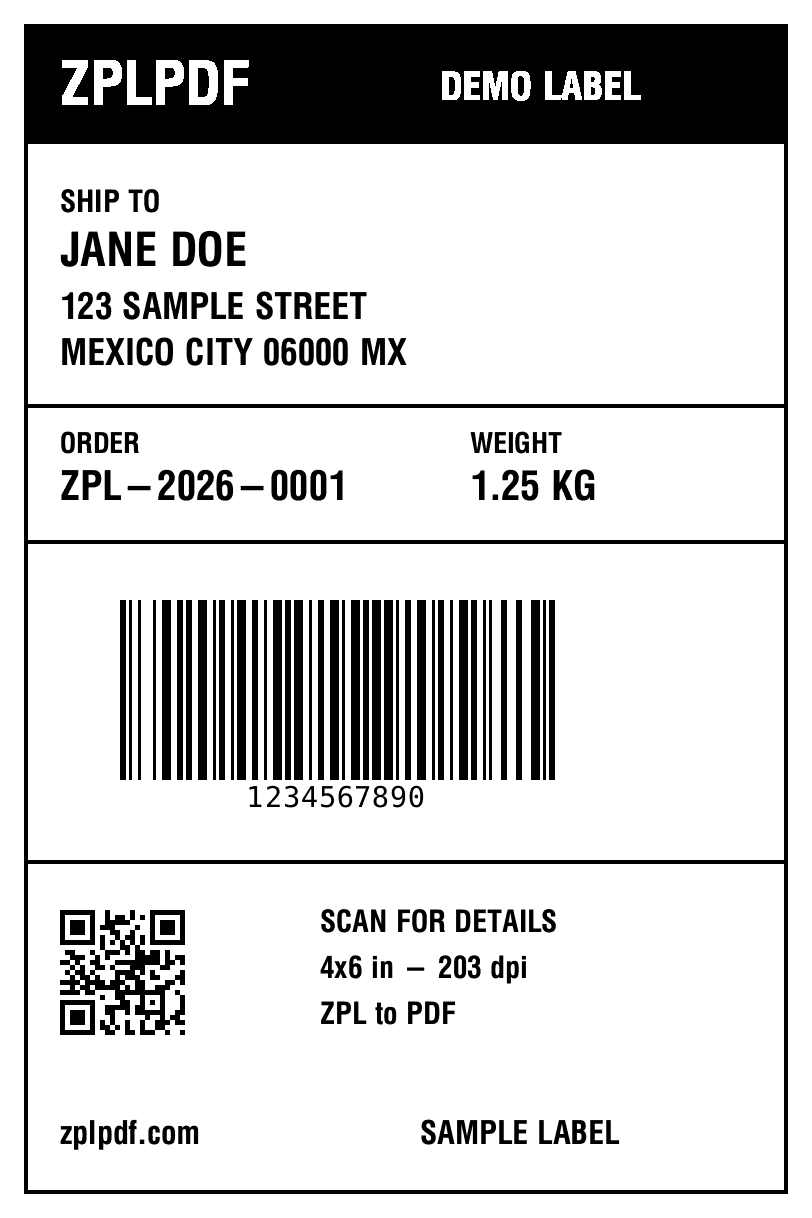
4×6 in · 203 dpi · 1 label
Features of our ZPL viewer
Precise interpretation of ZPL commands
Support for barcodes, text, and graphics
Real-time visualization
No software installation required
Compatible with all modern browsers
Frequently asked questions about the ZPL viewer
How do I preview ZPL code online?
Simply paste your ZPL code into the editor and click 'Preview'. Our viewer instantly renders your label exactly as it would print on a Zebra printer. No installation required — runs entirely in your browser.
Can I convert ZPL labels to PDF?
Yes! After previewing your ZPL label, click the 'Download PDF' button to export it. You can also export as PNG. Perfect for sharing labels without requiring ZPL knowledge.
What ZPL commands are supported?
Our viewer supports all standard ZPL II commands including ^FO, ^FD, ^BY, ^BC (barcodes), ^BQ (QR codes), ^GF (graphics), ^XA/^XZ, and more. Compatible with all Zebra thermal printers.
Is this ZPL viewer completely free?
Yes, the ZPL viewer is free to use with a free account. Sign-up takes seconds and unlocks both the preview and PDF export. The free tier has no watermarks and no usage limits.
Do I need to install any software?
No installation needed. Our ZPL viewer runs entirely in your browser. Works on Windows, Mac, Linux, and mobile devices. Just visit the page and start using it immediately.
Convert your ZPL file to PDF now
Fast process with instant results. Get started in seconds.