Professional Tool
ZPL to PDF Converter — Preview Zebra Labels Online
The professional solution for working with Zebra Programming Language. Preview, convert and validate your labels without a printer.
- Secure processing
- Instant results
^XA^CI28^PW812^LL1218^FO24,24^GB764,1170,4^FS^FO24,24^GB764,120,120^FS^FO60,60^FR^A0N,60,60^FDZPLPDF^FS^FO440,72^FR^A0N,38,38^FDDEMO LABEL^FS^FO60,190^A0N,30,30^FDSHIP TO^FS… 19 more lines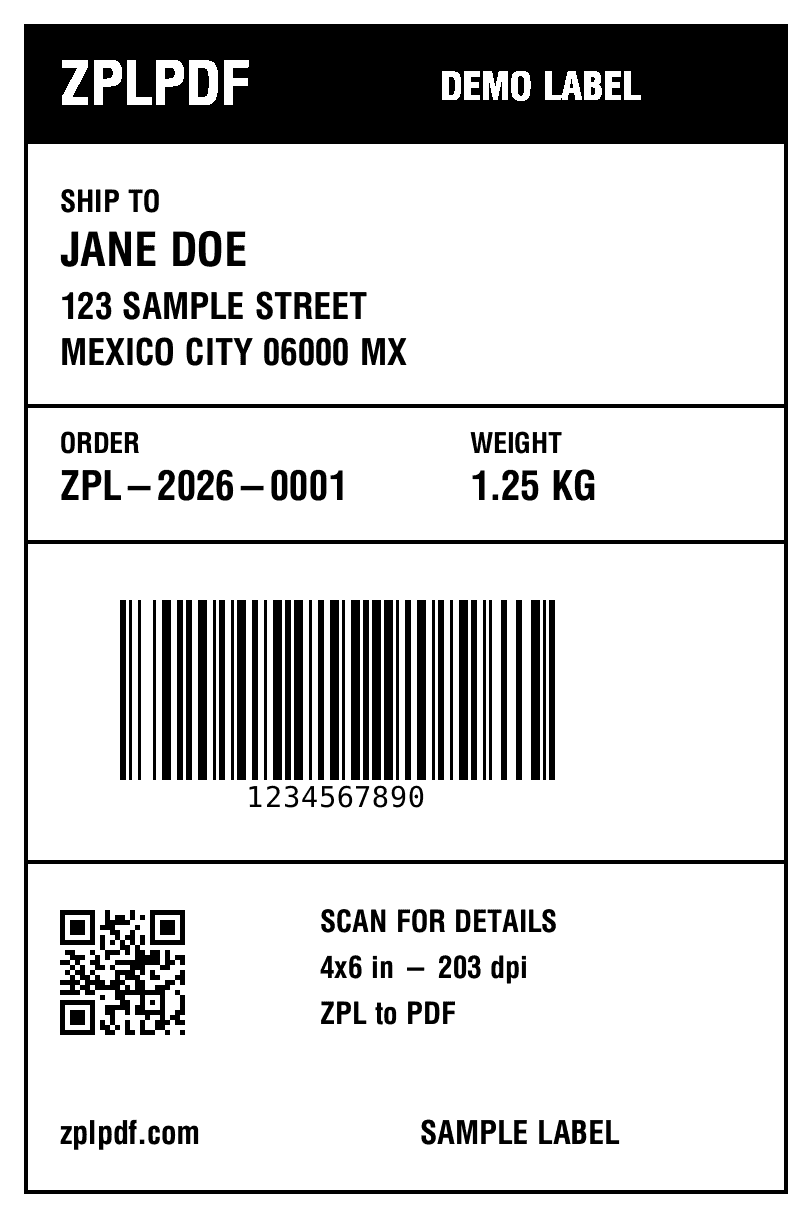
4×6 in · 203 dpi · 1 label
Our ZPL tools
Free tool to convert ZPL codes to PDF files. Ideal for previewing labels before printing.
ZPL Online Viewer
View your ZPL files directly in your browser
- Instant preview
- Support for multiple labels
- Zoom and image rotation
Convert ZPL to PDF
Transform your ZPL files into high-quality PDF documents
- Fast and accurate conversion
- Immediate download
- Easy to share
Online ZPL Validator
Check your ZPL syntax before printing
- Detection of structural errors in ZPL code
- Identification of warnings and possible improvements
- Analysis of commands used in your labels
ZPL Tools and Resources
Everything you need to work with Zebra Programming Language
- Common ZPL commands
- ZPL Resources
- What is ZPL?
Choose your plan
Start free and upgrade when you need
Free
For occasional users
- 10 PDFs per month
- 75 labels per PDF
- Standard processing
- Email support
- Conversion history
- PNG/JPEG export
- Batch upload
- Priority support
Lite
For light but regular use
- 25 PDFs per month
- 100 labels per PDF
- Standard processing
- Email support
- Conversion history
- PNG/JPEG export
- Batch upload
- Priority support
Pro
For professionals and teams
- 500 PDFs per month
- 500 labels per PDF
- Priority processing
- Email support
- Conversion history
- PNG/JPEG export
- Batch upload (5 files)
- Priority support
Pro Max
For high-volume users
- 1000 PDFs per month
- 1000 labels per PDF
- Priority processing
- Email support
- Conversion history
- PNG/JPEG export
- Batch upload (10 files)
- Keep original filename
- Priority support
How to Use
How to Use
Select a tool
Choose between the ZPL viewer, the PDF converter, or explore our resources based on your needs.
Upload your ZPL file
Upload your ZPL file or directly paste the code into the provided text area.
View, convert, or validate
Preview your ZPL labels, convert them to PDF, or validate the syntax of your ZPL file depending on the tool you have chosen.
Frequently Asked Questions
Frequently Asked Questions
What is ZPL?
ZPL (Zebra Programming Language) is the programming language used by Zebra printers to create labels and barcodes.
Why do I need to convert ZPL to PDF?
The conversion allows you to visualize how the label will look before printing it, saving time and materials by avoiding printing errors.
Is my data safe?
Yes, all processing is done in your browser. Your ZPL codes are not stored on our servers.
What label size should I choose?
You should select the size that corresponds to the physical labels you will use in your printer.
Why does my label look cut off?
You probably need to adjust the label size to match the design of your ZPL code.
Troubleshooting
Troubleshooting
The label looks cut off
Try selecting a larger label size or adjust your ZPL code to fit the selected size.
Barcodes are not displaying correctly
Verify that the ZPL code for the barcodes is valid and that the data meets the required format.
Text appears in incorrect positions
Check the coordinates in your ZPL code. Remember that ZPL uses coordinates in dots.
Glossary
Glossary
ZPL
Zebra Programming Language, used to program labels on Zebra printers.
DPI
Dots per inch, a measure of resolution that affects the print quality of labels.
Barcode
Graphical representation of data that can be read by special scanners.
Portable Document Format that maintains the original design regardless of the device.
What our users say
Thousands of sellers trust ZPLPDF for their shipping labels
“I used to spend hours configuring my printer. Now I convert my ZPL labels to PDF in seconds and print from any printer.”
Carlos Rodriguez
Electronics seller
“The perfect tool for Mercado Libre sellers. My Full labels always come out perfect and the barcodes scan without issues.”
Maria Gonzalez
Online clothing store
“I process over 200 labels daily. ZPLPDF's batch conversion saves me hours of work every week. Totally recommended.”
Roberto Sanchez
Wholesale distributor
Need the barcode for your label?
Generate the SSCC, EAN-13, UPC or GS1-128 with a validated check digit, ready to insert into your ZPL.